







Wireless earbuds have become essential for modern listening, whether at home, work, or on the move. However, many users overlook the power of proper settings. Small adjustments can drastically improve sound quality, battery efficiency, and overall convenience. From fine-tuning audio to optimizing touch controls, this guide will explore the essential settings that unlock the full potential of your wireless earbuds in 2025. Readers will gain practical tips for adjusting EQ, ANC, firmware, and smart features to ensure every listening session is immersive, precise, and effortless.
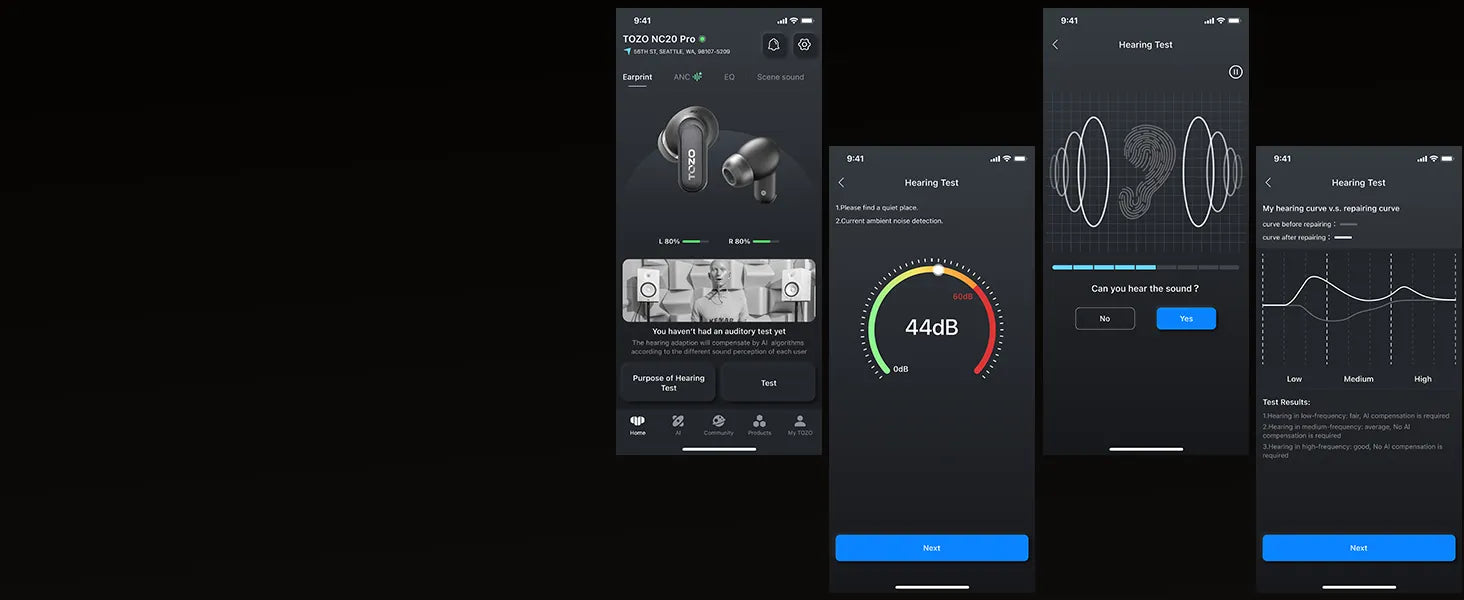
Equalizer (EQ) Settings of Wireless Earbuds
EQ settings are the simplest way to shape your sound profile. By adjusting treble, mids, and bass, you can tailor the audio to your preferences or the type of content you’re listening to. Many earbuds come with preset modes like Jazz, Rock, or Podcast, but creating a custom EQ often delivers the best experience. Fine-tuning the EQ can reveal hidden details in songs, enhance vocal clarity, and boost low-end depth for cinematic or gaming content. Understanding and experimenting with EQ settings transforms generic sound into a personalized, rich audio environment.
Switch Noise Cancellation Modes for Various Scenarios
Noise cancellation is no longer a one-size-fits-all feature. Modern wireless earbuds offer multiple ANC modes designed for different environments. For example, Hybrid ANC blocks general ambient noise, while Adaptive ANC reacts dynamically to changing surroundings. Transparency or ambient modes let in important sounds when needed, such as traffic while jogging. Switching between these modes ensures optimal listening comfort and safety. Fine-tuning noise cancellation not only improves focus but also reduces ear fatigue, allowing you to enjoy music, calls, or podcasts without raising the volume unnecessarily.
Customizing Touch Controls for Wireless Earbuds
Touch controls allow for intuitive navigation, but their functionality varies by brand and model. Users can assign single taps, double taps, or long presses to control playback, adjust volume, or summon voice assistants. Customizing these gestures to your habits reduces interruptions and improves convenience. For example, a double-tap for track skipping or a long press for ANC switching can save time and frustration. Understanding touch control options ensures that every command is responsive and intuitive, transforming earbuds from simple listening devices into seamless, hands-free companions.
Wireless Earbuds Firmware and App Updates
Firmware and app updates are critical for keeping earbuds performing at their peak. Updates can improve sound quality, increase battery efficiency, add new features, or fix connectivity issues. Many brands provide companion apps that allow users to monitor firmware versions, adjust settings, and even customize EQ profiles. Regularly checking for updates ensures that your earbuds remain compatible with new devices and benefit from the latest performance enhancements. Firmware management may seem technical, but it is a simple step that maintains the longevity and reliability of your wireless earbuds.
TOZO NC20 Pro: Feature-Rich Wireless Earbuds that Offer Premium Listening Experiences
The TOZO NC20 Pro stands out as a premium choice for 2025, blending advanced audio technology with intelligent usability. #TOZONC20Pro #TOZOJustForGoodSound #TOZOEarbuds
Refined Dynamic Drivers
These earbuds use TOZO’s exclusive SDLC™ diaphragm technology. Combining flexibility and rigidity, the 12mm drivers deliver crystal-clear highs, natural mids, and deep, resonant bass. Enhanced with LDAC codec support, they reproduce high-resolution audio streams, providing studio-grade sound for audiophiles and casual listeners alike.
Spatial Audio and 3D Sound
NC20 Pro supports spatial audio, creating an immersive soundstage. This feature gives music, movies, and games a three-dimensional feel, making listeners feel enveloped in the audio environment. Whether for cinematic enjoyment or gaming precision, 3D sound elevates every detail.
Powerful Hybrid ANC and Convenient Adaptive ANC
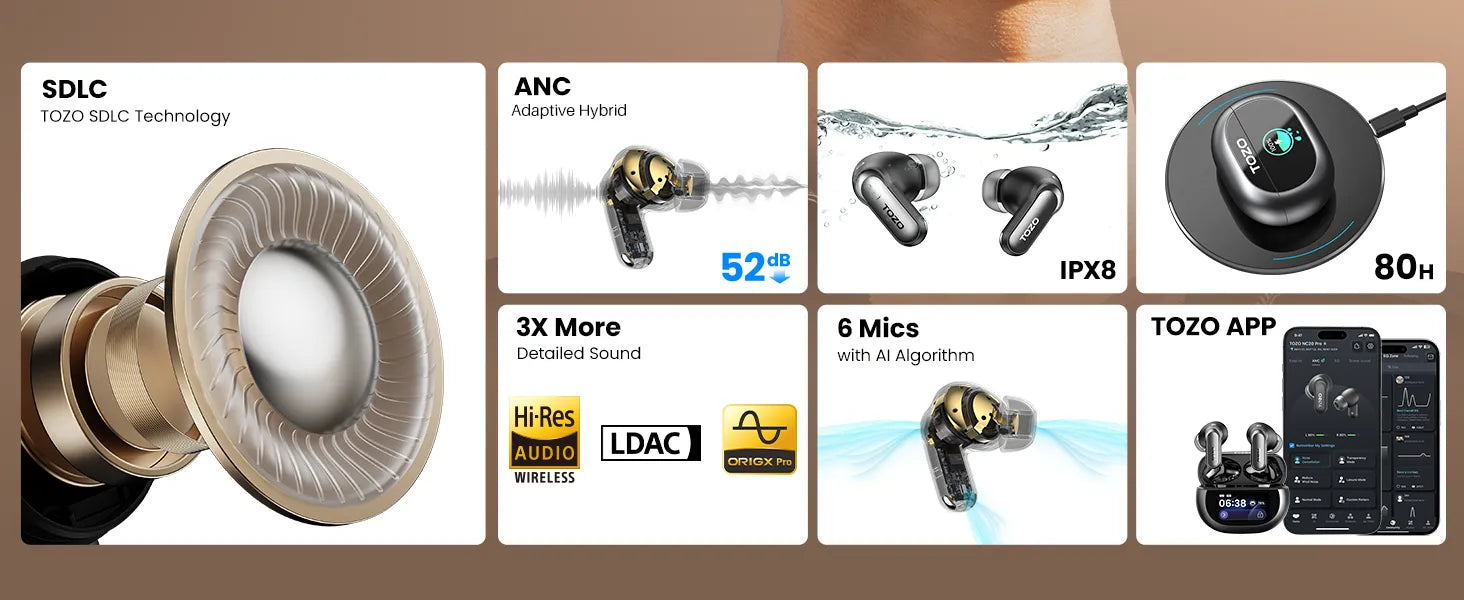
The hybrid ANC system blocks up to 52 dB of ambient noise, while adaptive ANC automatically adjusts to changing environments. Transparency mode lets in surrounding sounds when necessary, such as traffic or announcements, ensuring safety without compromising immersion.
AI Voice Assistant for Hands-Free Control
Voice assistance is built in, enabling hands-free control for calls, music playback, and information queries. Integration with AI assistants streamlines multitasking and enhances productivity, turning the earbuds into intelligent personal devices.
Touchable Screen for Seamless Switch
A touchable interface simplifies navigation. Users can adjust volume, change tracks, and switch ANC modes without reaching for a phone. Combined with a multipoint connection, switching between devices is seamless, making TOZO NC20 Pro versatile for work, travel, and leisure.
Conclusion
Optimizing wireless earbuds settings transforms listening from ordinary to extraordinary. EQ adjustments, ANC management, touch customization, and firmware updates all contribute to a richer, more immersive experience. The TOZO NC20 Pro exemplifies these capabilities, offering users a complete package of sound quality, convenience, and smart features. Properly configured, your earbuds can truly elevate every moment of audio enjoyment.


